Vibe TraderDocs
DocsNewsPricingAboutFAQForumLaunch AppSign Up
Features GuideIntroduction
OverviewTechnical AnalystNews AnalystRisk ManagerTrading AgentPortfolio AnalystResearch Agent
Connect Your BrokerHow to Place TradeTechnical IndicatorsFibonacci AnalysisMulti-Chart SetupQuick Trade ExecutionCurrency Pairs
Strategy Builder
Interactive ComponentsDynamic LayoutsHow to View Charts
Trading Journal Guide
Portfolio Analytics
Change Language
Skip to Content
  • Documentation Features Guide
    • Index
    • News Analyst
    • Portfolio Analyst
    • Research Agent
    • Risk Manager
    • Technical Analyst
    • Trading Agent
    • Portfolio
    • Chart Types
    • Components
    • Layouts
  • Introduction
    • Guide
    • Settings
    • Change Language
  • Sidebar Navigation
    • Builder
    • Broker Connection
    • Currency Pairs
    • Fibonacci Analysis
    • Multi Chart Setup
    • Placing Trades
    • Quick Trade Execution
    • Technical Indicators
Back to Showcase

Interactive Charting

Master our professional-grade charting tools.

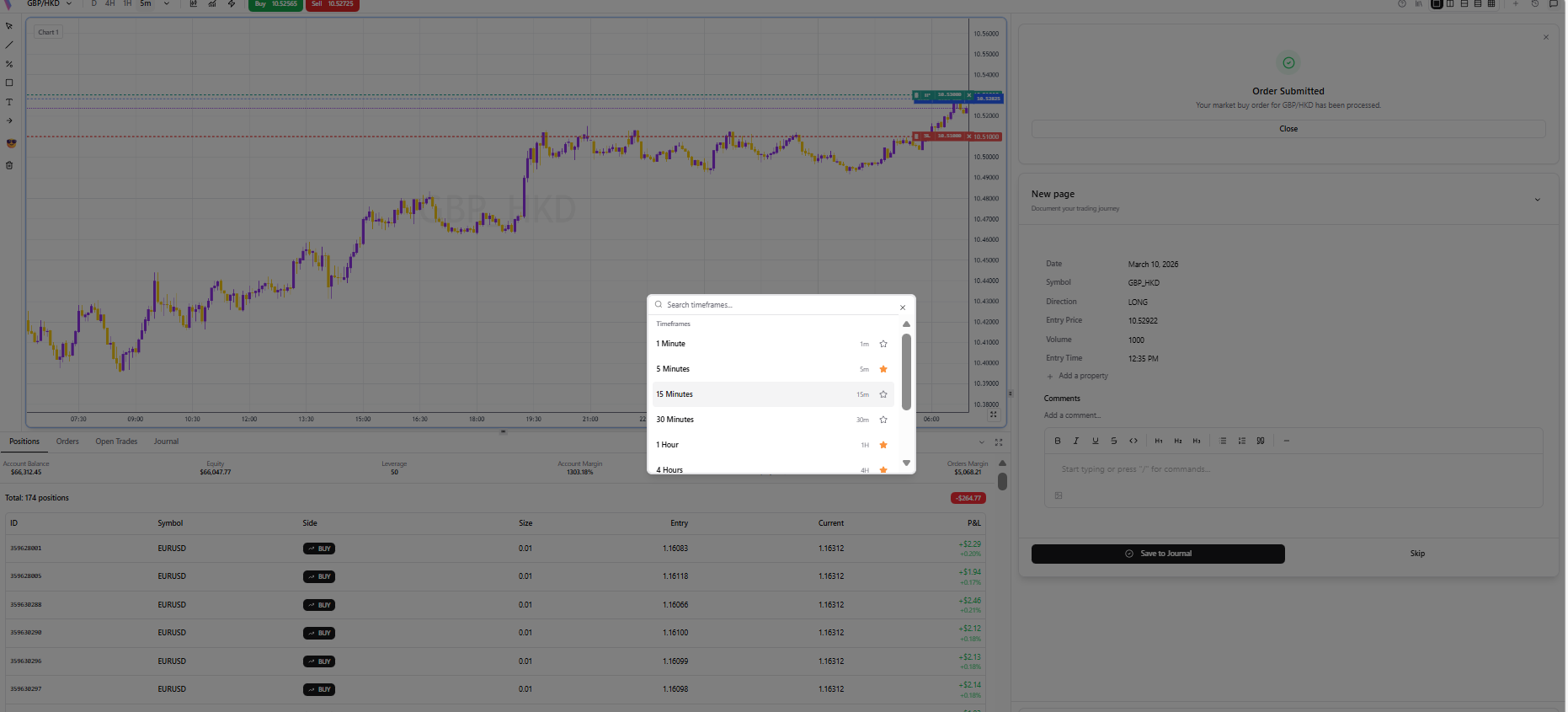
Step 1 /

Change Timeframes

Quickly switch between M1, H1, D1, and more using the toolbar.

Change Timeframes
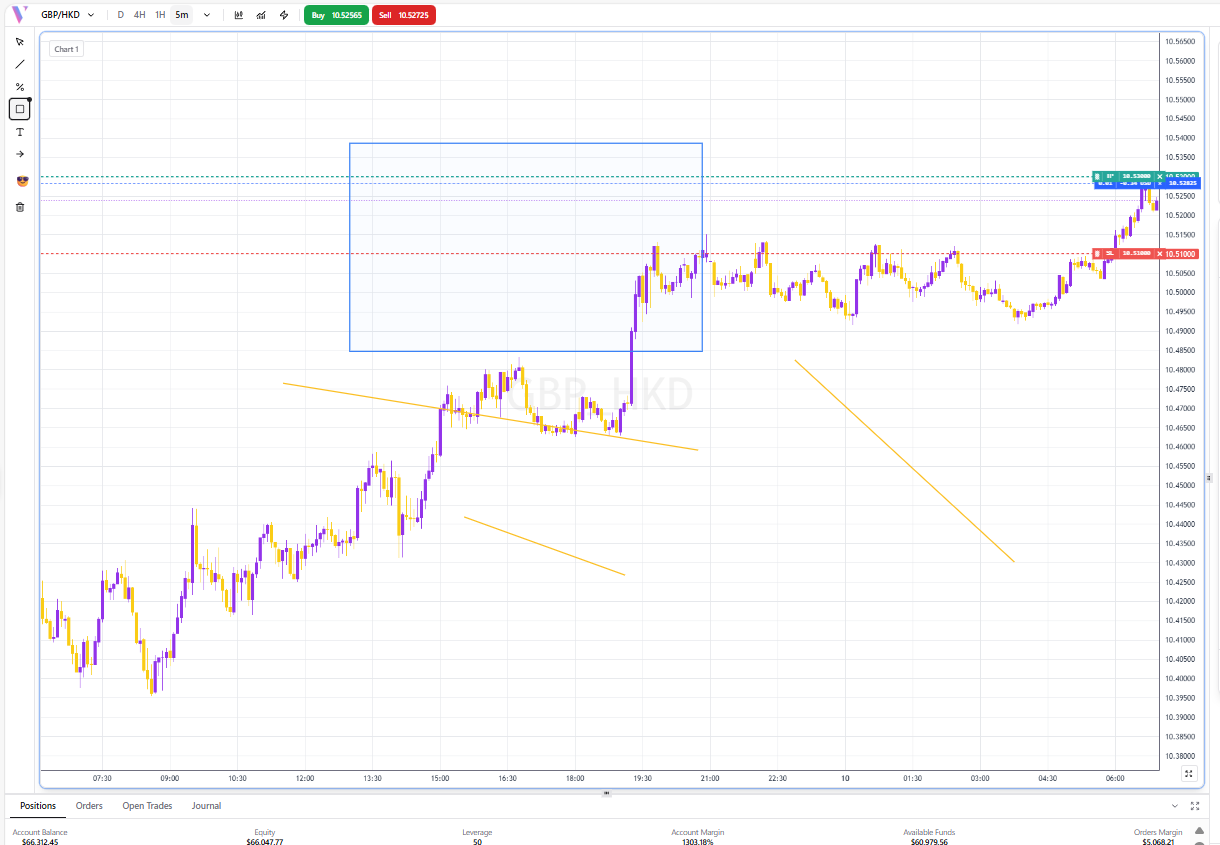
Step 2 /

Drawing Tools

Add trendlines, fibonacci levels, and shapes to analyze price action.

Drawing Tools
Back to Showcase
V
Vibetrader
Beta

Vibe Trading AI - Your automated trading platform for smarter, stress-free trading decisions. Try Vibetrader today.

Product

  • Launch App
  • Features
  • Pricing
  • Risk Management
  • FAQ
  • About Us

Resources

  • News

Legal

  • Terms of Service
  • Privacy Policy
  • Risk Disclosure
  • Cookie Policy

Support

  • team@vibetradingai.com
  • Contact Us
  • Forum

© 2025 Vibetrader. All rights reserved.

SitemapAccessibility