
Skip to Content
Back to Showcase
Quick Trade Execution
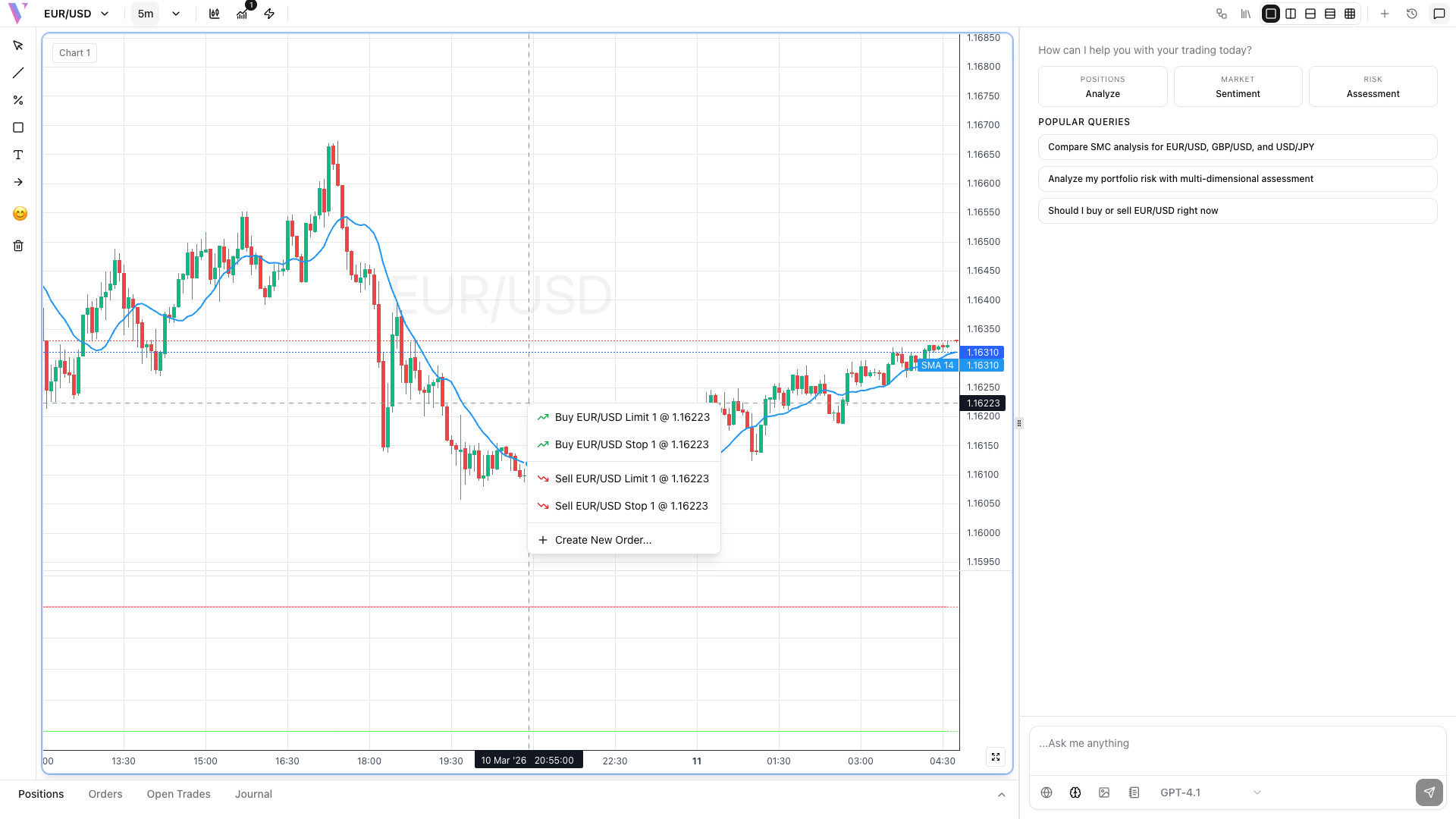
Execute trades instantly from charts with right-click context menu for lightning-fast order placement.
Step 1 /
Right-Click on Chart
Right-click at any price level on the chart to open the quick trade menu with instant order options.
Step 2 /
Choose Order Type
Select from Buy/Sell Limit orders (executed at specific price) or Stop orders (triggered when price reaches level).
Step 3 /
Set Position Size
Orders default to 1 lot size. Click 'Create New Order' for advanced options including custom lot sizes and risk management.
Step 4 /
Execute Instantly
Click your chosen order type for immediate submission. The order appears in your positions panel with real-time P&L tracking.