
Skip to Content
Back to Showcase
Currency Pairs
Navigate and trade major, minor, and exotic currency pairs with quick access to your favorites.
Step 1 /
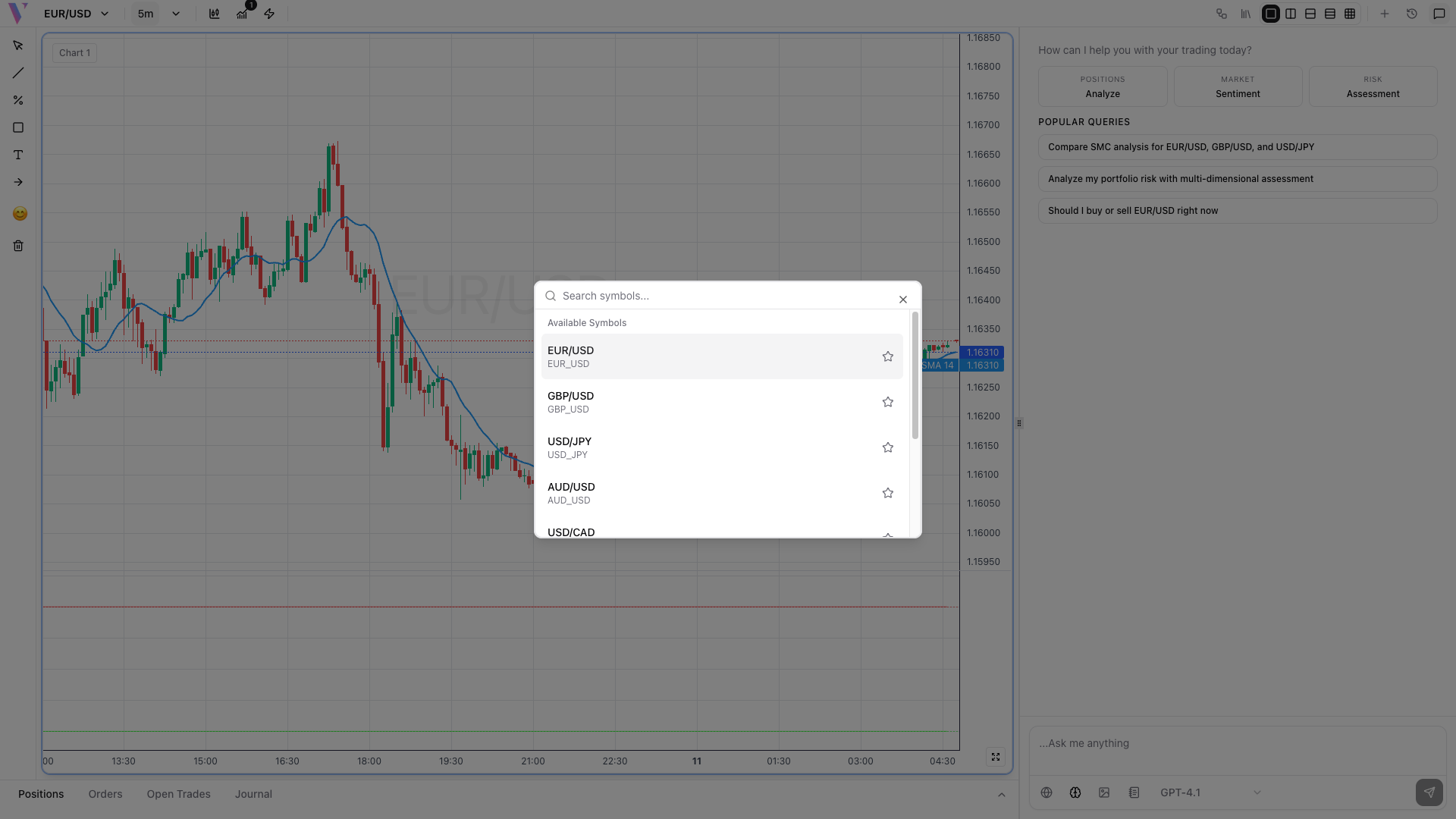
Open Pair Selector
Click the currency pair button in the header (e.g., EUR/USD) to open the comprehensive pair selection menu.
Step 2 /
Search or Browse
Type to search for specific pairs or scroll through the list of available majors, minors, and exotic currency pairs.
Step 3 /
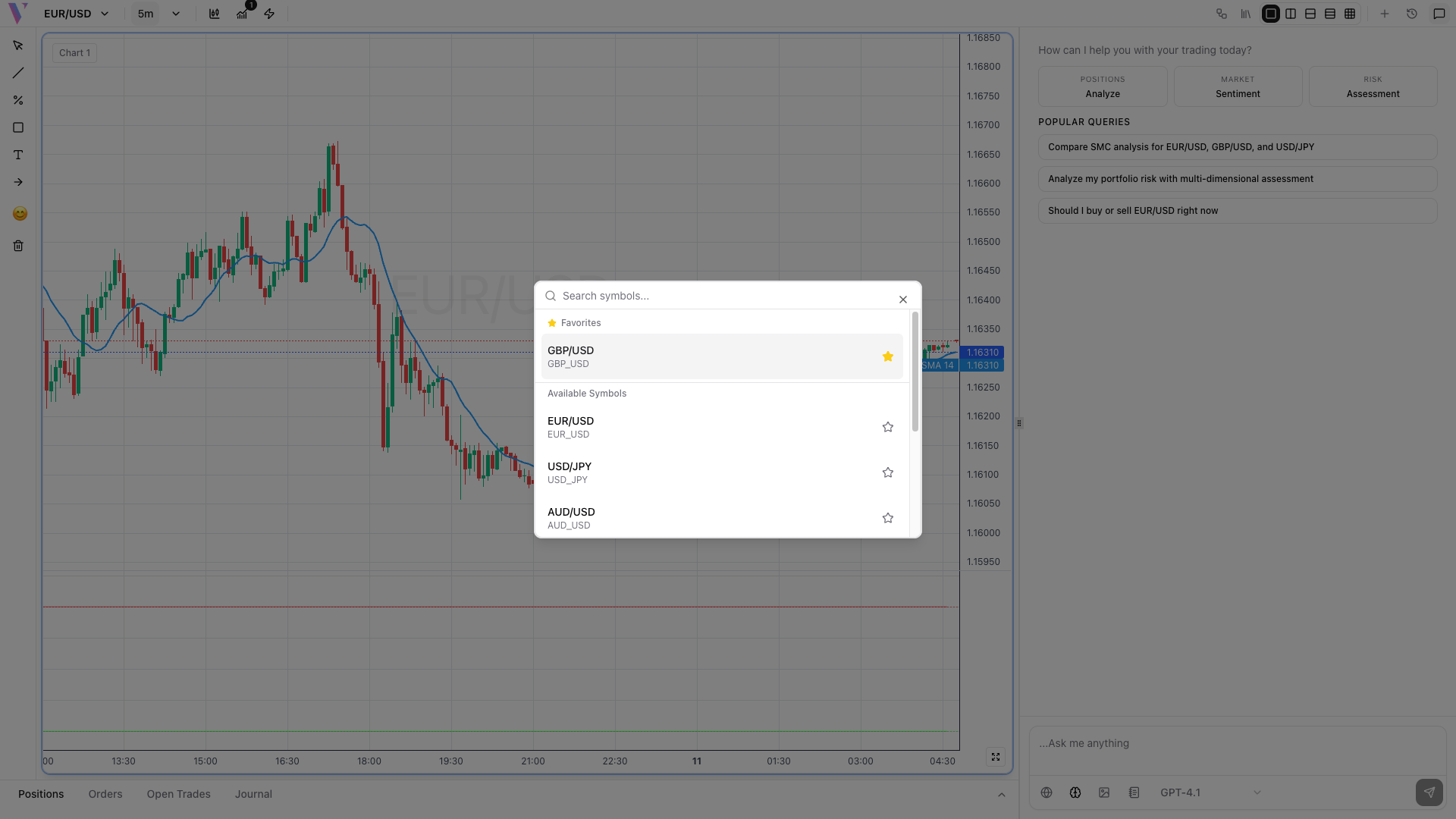
Add to Favorites
Click the star icon next to frequently traded pairs to add them to your favorites for quick access. Favorites appear at the top of the list.
Step 4 /
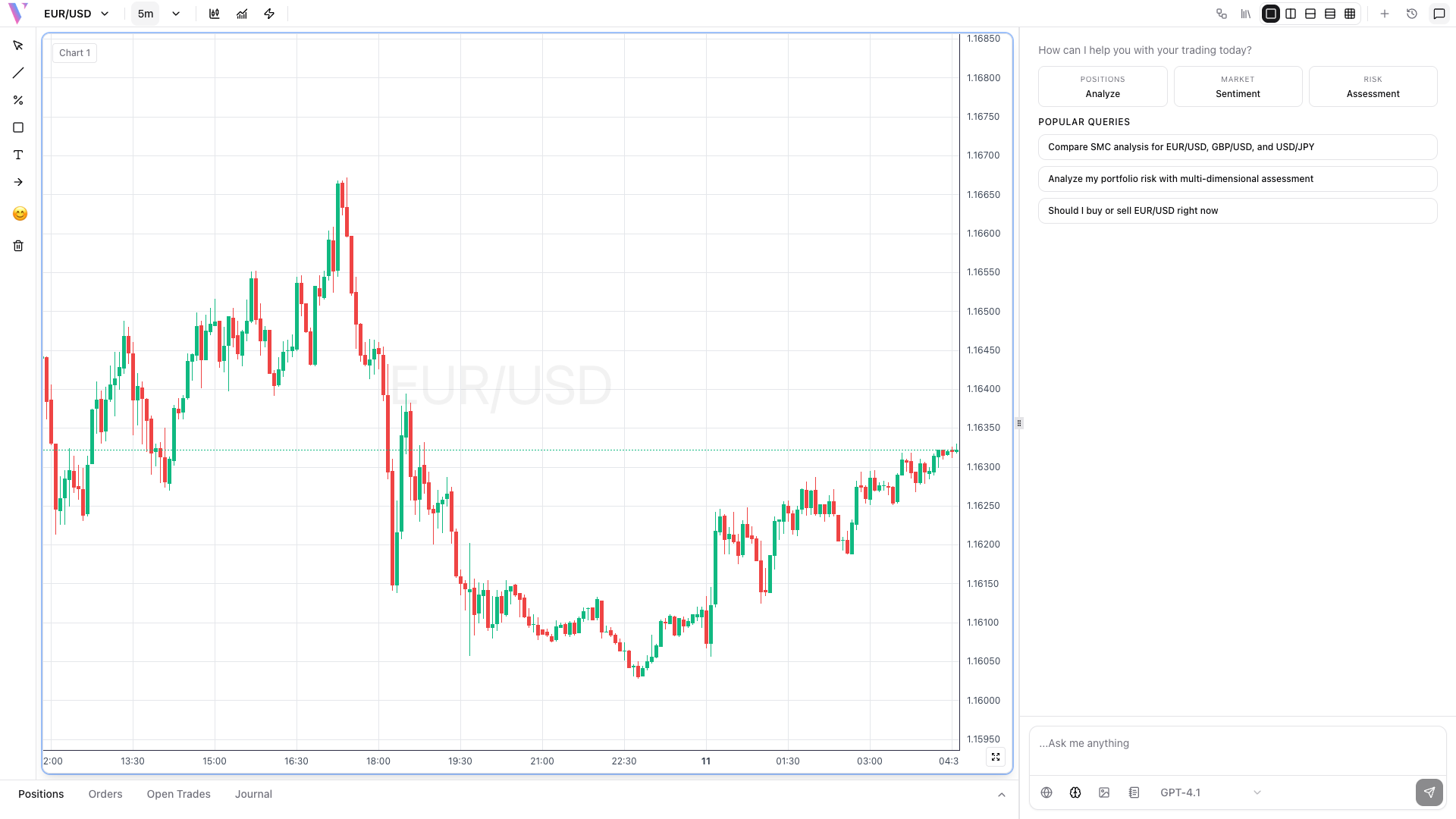
Switch Pairs Instantly
Click any pair to switch your chart view immediately. All your indicators and drawings remain configured for the new pair.