
Skip to Content
Back to Showcase

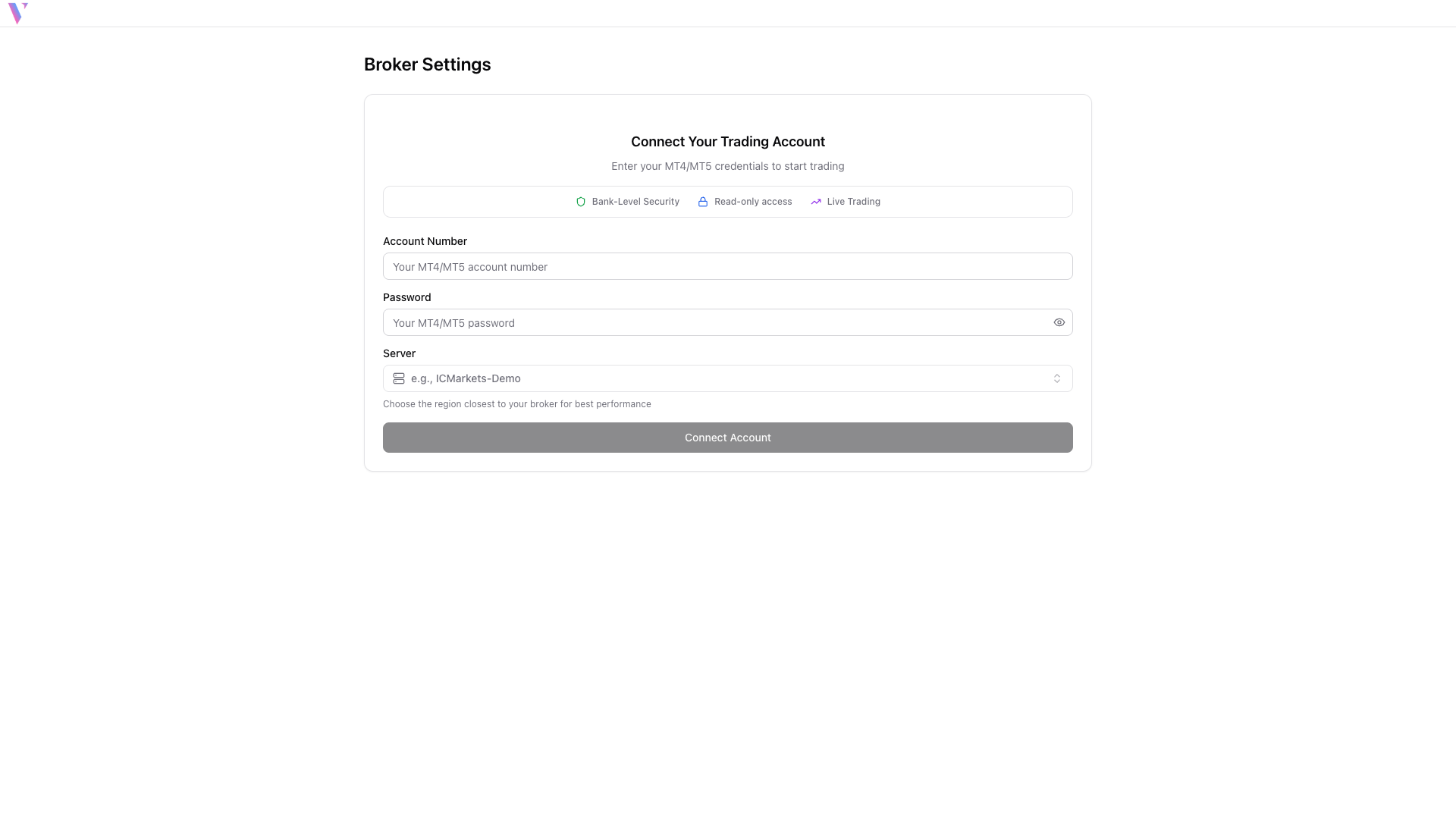
Connect Your Broker Account
Securely link your MT4/MT5 trading account to VibeTrader for seamless live trading and real-time account management.
Step 1 /
Navigate to Broker Connection
From the main dashboard, look for the 'No Broker Connected' status in the positions panel. Click the 'Connect Broker' button to open the connection form.
Step 2 /
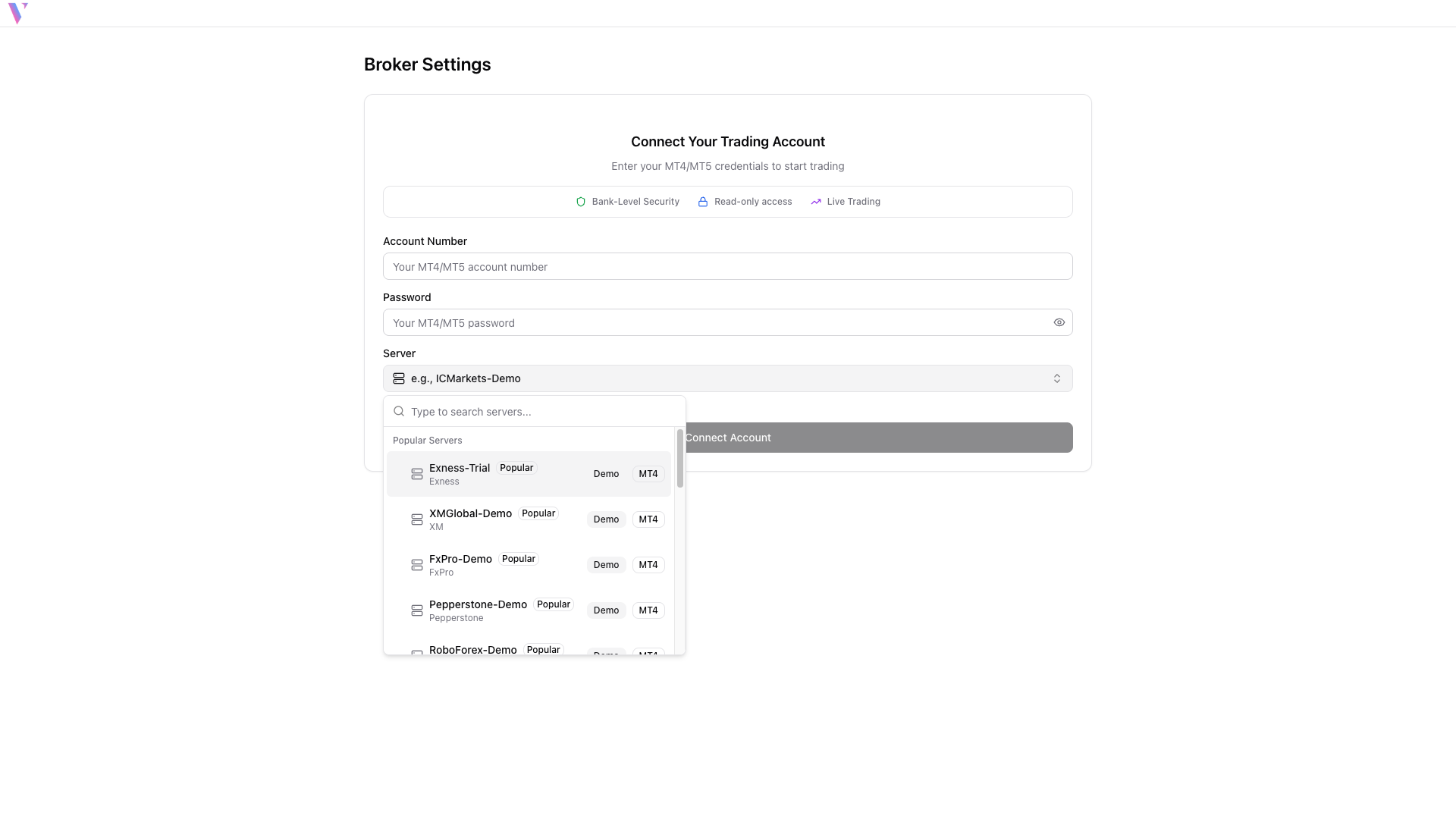
Fill Connection Details
Select your broker's server from the dropdown list. Enter your MT4/MT5 account number and trading password. You can search for your broker by typing its name.
Step 3 /
Connect and Verify
Click 'Connect Account' to establish the connection. Once successful, you'll see your account balance, equity, and open positions in real-time.