
Skip to Content
Back to Showcase
Technical Indicators
Master market analysis with powerful technical indicators to identify trends and trading opportunities.
Step 1 /
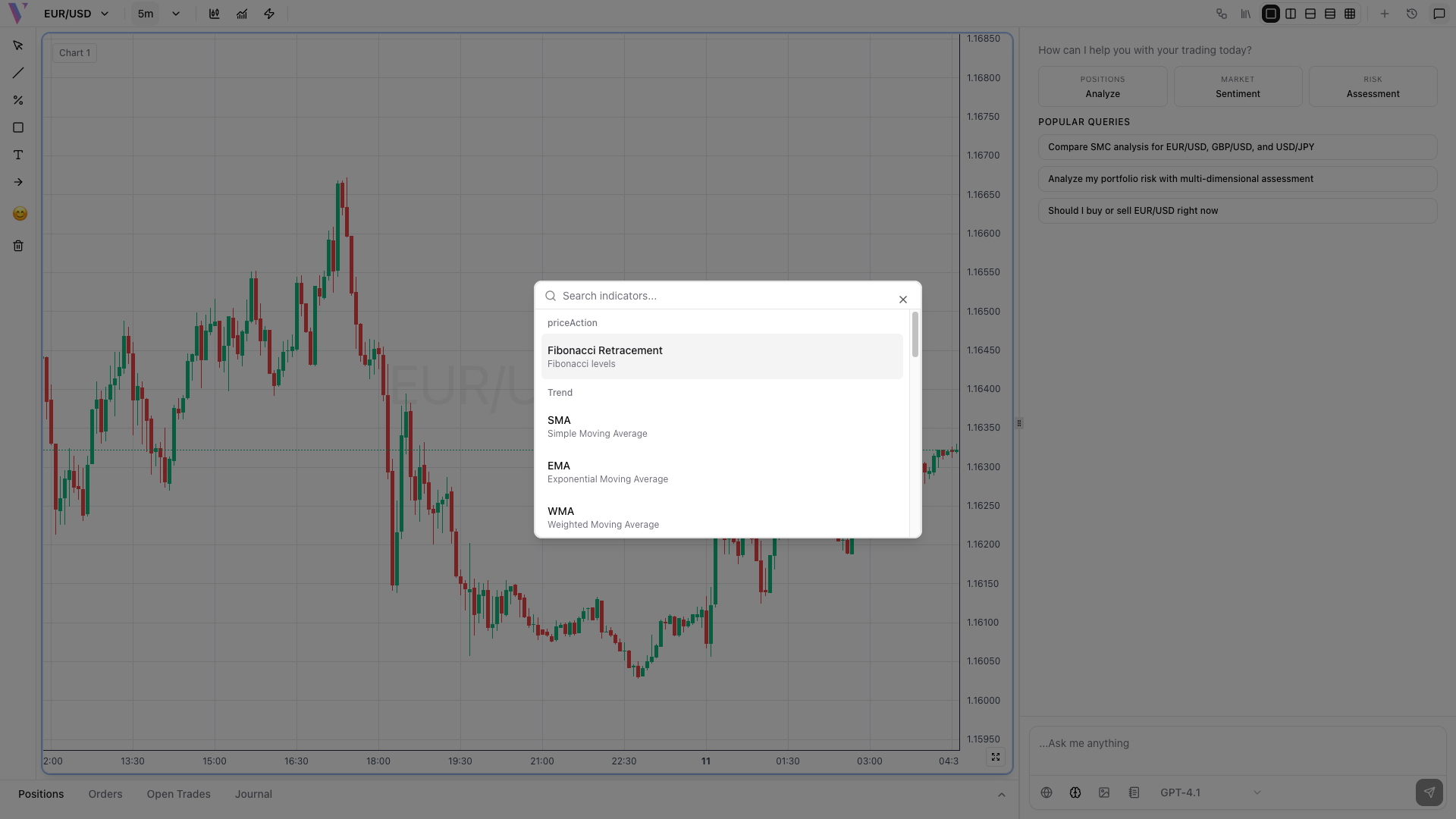
Access Indicators Menu
Click the indicators button in the toolbar to open the comprehensive indicator selection panel with categories for different trading strategies.
Step 2 /
Select Your Indicator
Choose from popular indicators like RSI for momentum, Moving Averages for trends, or Bollinger Bands for volatility analysis.
Step 3 /
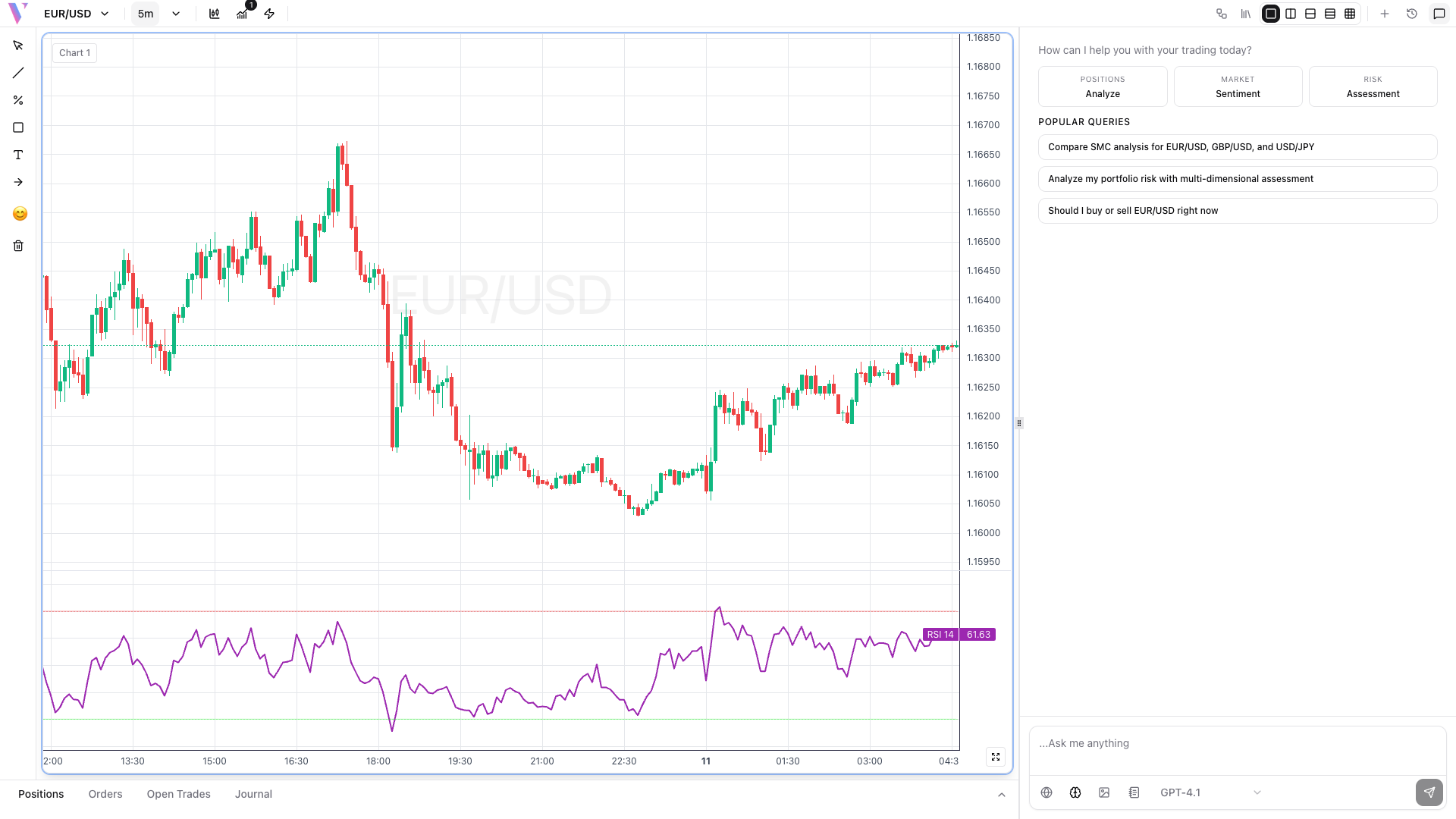
View on Chart
The selected indicator appears below your price chart with real-time calculations. RSI shows overbought (>70) and oversold (<30) conditions.
Step 4 /
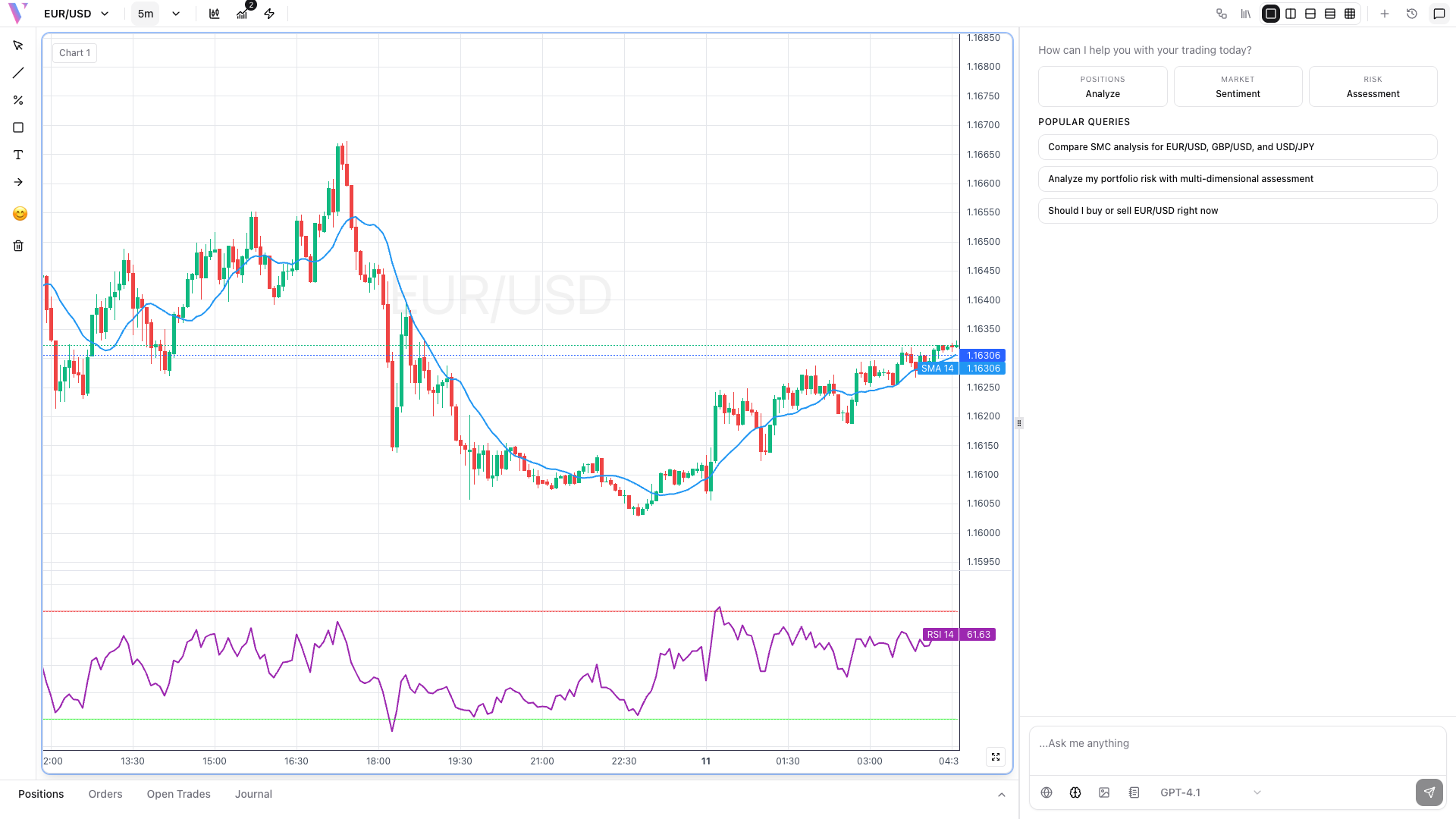
Combine Multiple Indicators
Add multiple indicators for confirmation signals. Combine trend indicators with momentum oscillators for robust trading decisions.