
Skip to Content
Back to Showcase
Change Language
Switch the app interface to your preferred language in VibeTrader.
Step 1 /
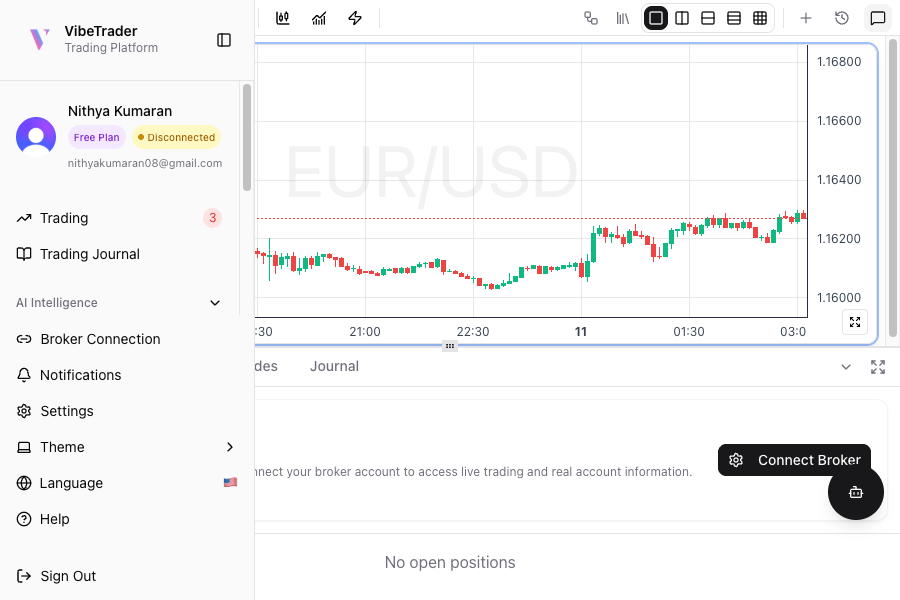
Open the Main Menu
Click the VibeTrader logo in the top left corner to open the main navigation menu.
Step 2 /
Select Language Option
In the menu, find and click on the Language option with the current flag icon.
Step 3 /
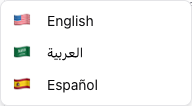
Choose Your Language
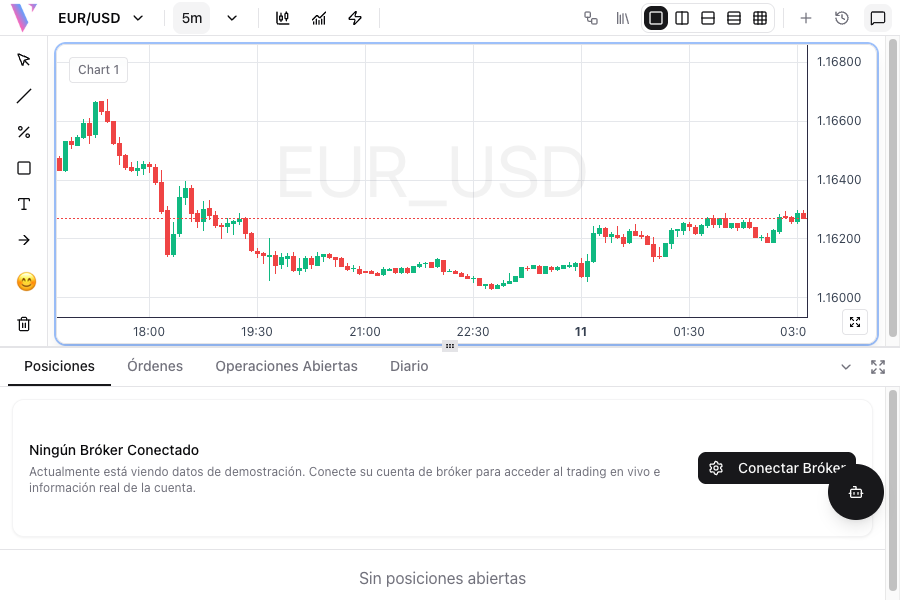
Select your preferred language from the dropdown. The interface will immediately update to display in the selected language.